
Table Names in Excel
2011-04-11
Excel Tables are given default names (Table1, Table2, etc.) when they are created. Table names are similar to defined names, which makes them easy use in formulas or to select data.
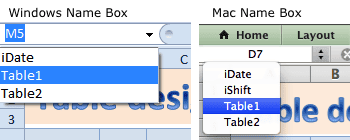
There are a couple of ways to select all the data in a Table by using the Table name. 1) select the Table name from the Name box,
or 2) use the keyboard shortcut Ctrl+G then select the Table name and click OK.
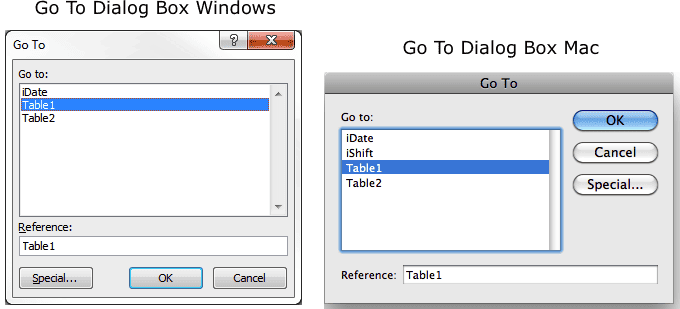
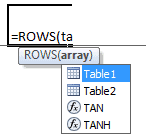
Table names can be used in formulas =ROWS(Table1) and they show up in the formula autocomplete list.
A Table name in Excel 2010 (Windows) is distinctly visible on the Table Tools tab. Here you can easily change the Table's defined name.

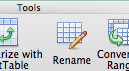
Excel 2011 (Mac) doesn't easily reveal the Table name even though there's a standard Table tab on the Ribbon. You have to make sure the Table is active, then choose Table > Rename, which will select the entire table and highlight the table name in the Name box. (You don't have to actually rename the table.)
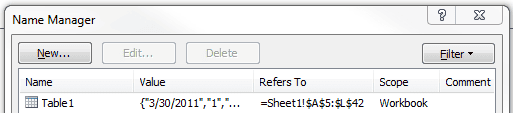
In Excel 2010 you can also see the Table name by choosing Formulas > Name Manager.
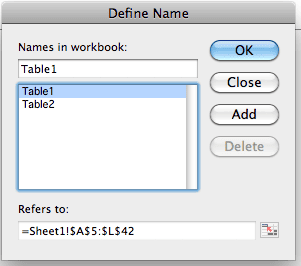
In Excel 2011 you choose Insert > Name > Define to see the Table name.
Knowing a Table's name is important in Excel. It's the first step in understanding structured Table data.